
Importing panelists
If you already have existing panelists gathering in a different system or file, Preely lets you import these via csv.
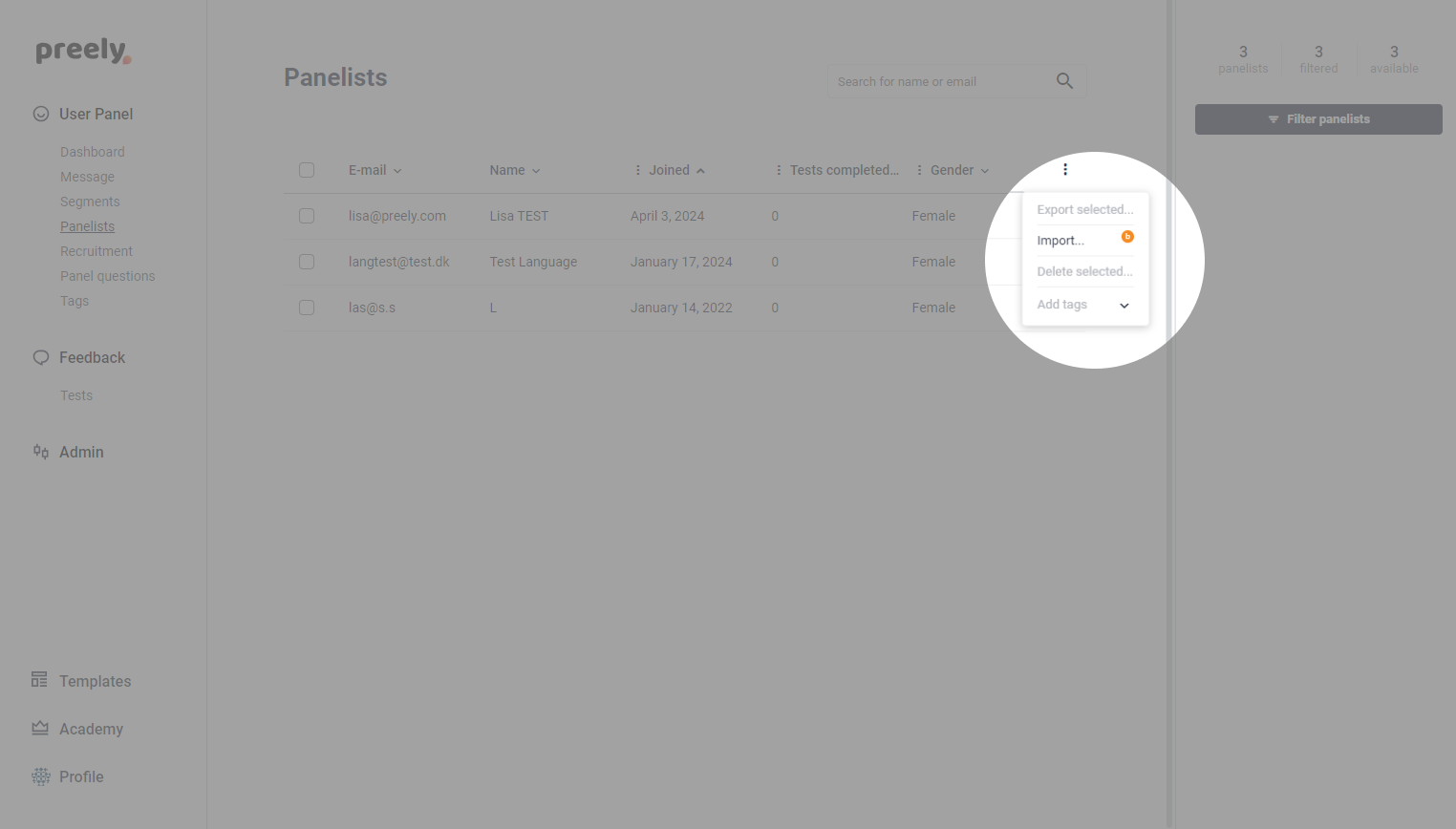
Start by navigating to your panelist list and click the three dots at the top right. From here, you click import and upload your .csv or .txt file.
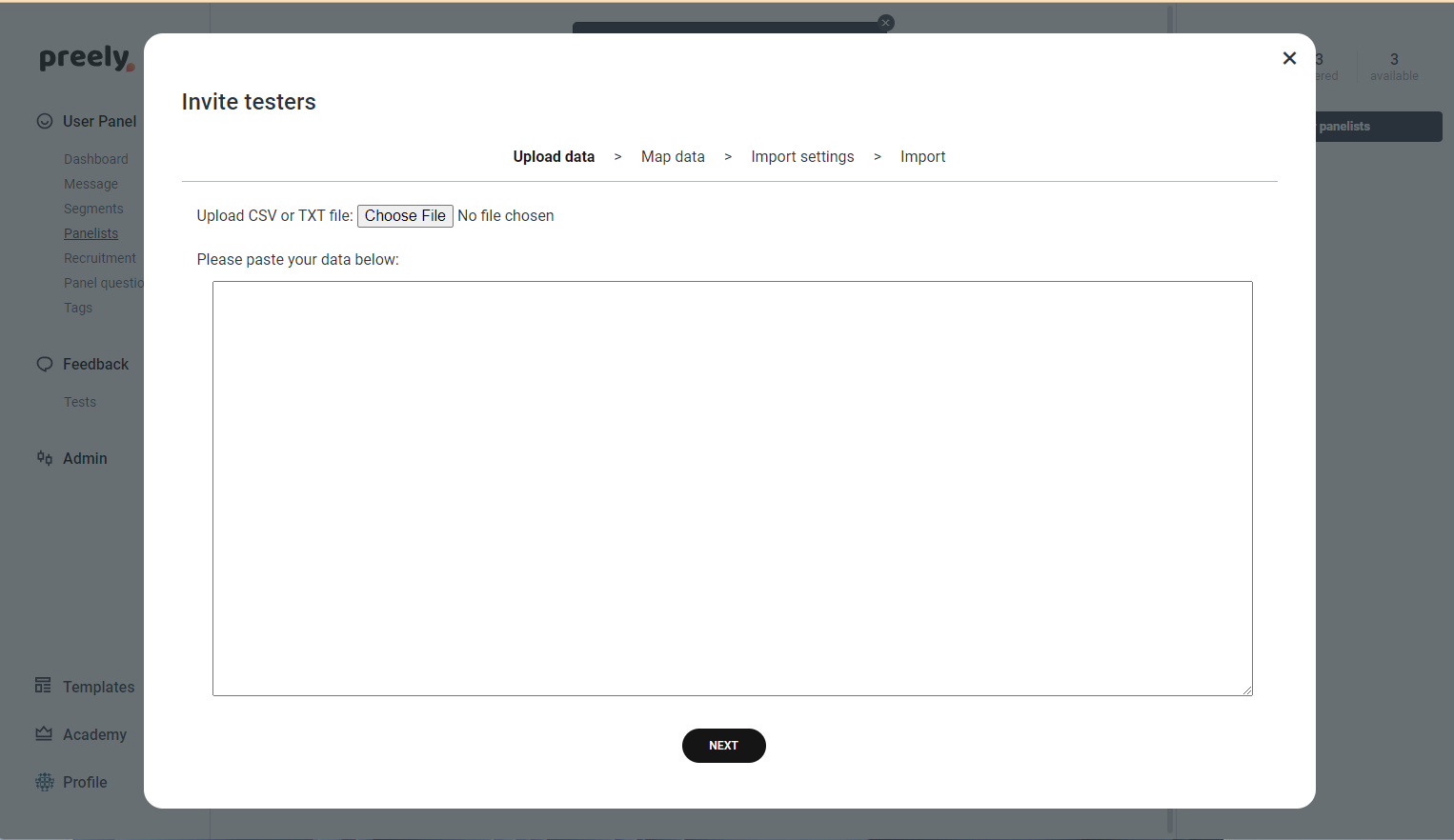
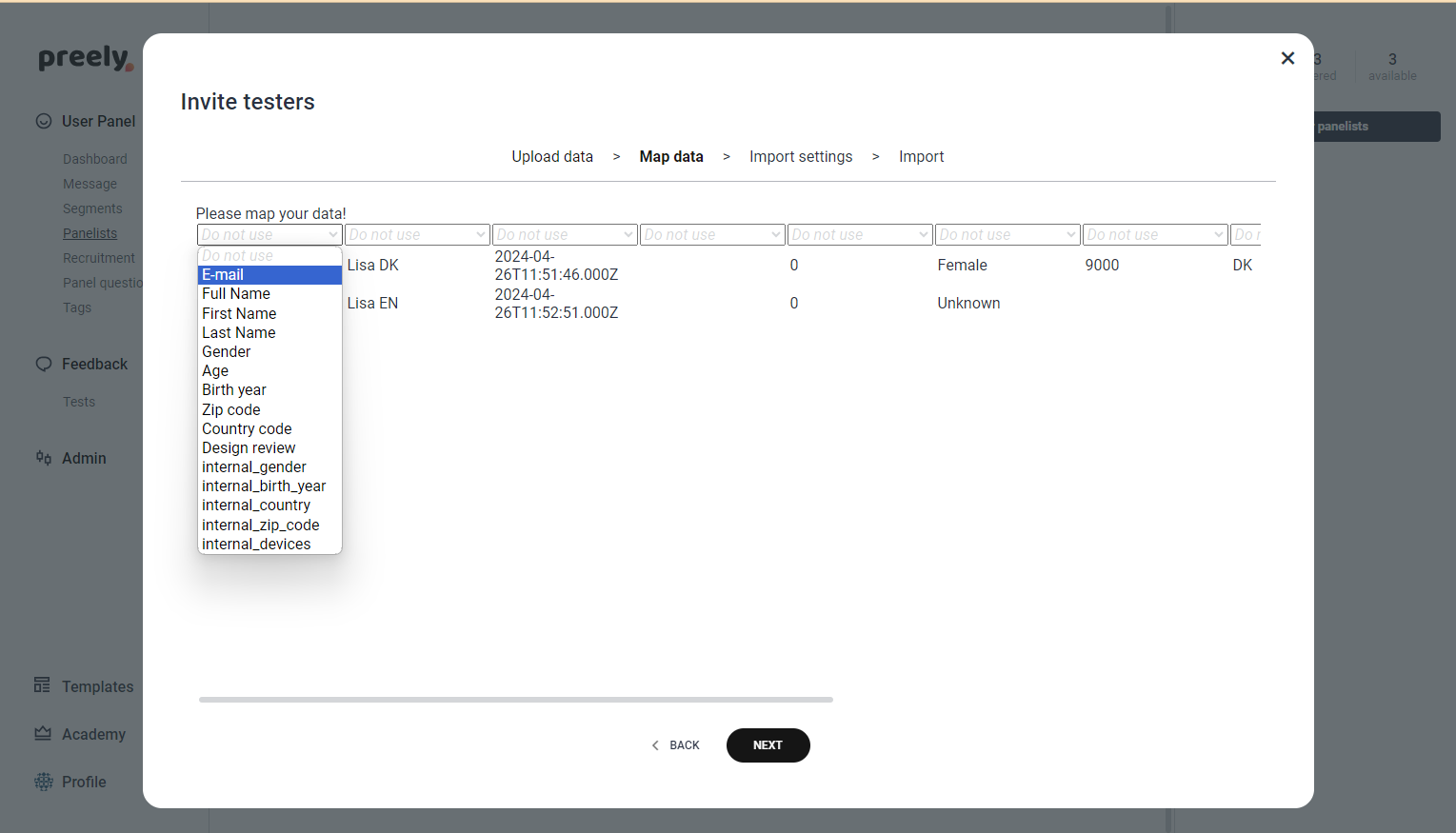
Once you have uploaded your file, you will be able to link the data to your priorly created panel questions. Make sure to first create all panel questions that are included in the file, otherwise you will not be able to link these together and store the data in your Preely panel.
Note: This is a first draft of the feature. We are working on improving it and making it easier for you to smoothly import panelists and to faster create recruitment questions.